

Table of Contents
In a world where hackers grow smarter every day, password security is no longer optional—it’s a necessity. Weak passwords put your accounts, identity, and finances at risk. Whether you’re logging into social media, email, or banking apps, following smart password practices can save you from disaster. Below, we break down actionable advice to help you stay secure.
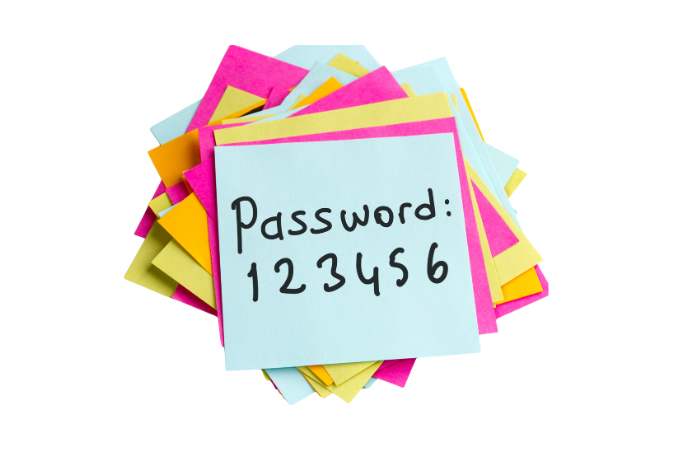
Create Strong, Unpredictable Passwords
Why it matters: Simple passwords like "123456" or "password" take seconds to crack. A strong password acts like a locked door against hackers.
How to do it:
- Mix characters: Use uppercase (A-Z), lowercase (a-z), numbers (0-9), and symbols (!, #, $).
- Example:
T4p#rQ9!vBn2instead ofilovedogs. - Avoid personal info: Never use birthdays, pet names, or addresses. Hackers can find these details online.
- Go long: Aim for 12+ characters. Longer passwords are harder to crack.
Pro Tip: Use a password generator tool to create random, strong passwords instantly.
Never Reuse Passwords
Why it matters: If one account gets hacked, reused passwords let attackers access all your accounts.
How to do it:
- Use a unique password for every account, even for less important sites like streaming services.
- Struggling to remember them? Use a password manager (e.g., LastPass, Dashlane) to store and auto-fill passwords securely.
Enable Two-Factor Authentication (2FA)
Why it matters: Even if someone steals your password, 2FA adds a second layer of protection.
How to do it:
- Turn on 2FA for critical accounts (email, banking, social media).
- Use authentication apps (Google Authenticator, Authy) instead of SMS codes, which hackers can intercept.
Update Passwords Regularly
Why it matters: Data breaches happen often. Changing passwords reduces the risk of long-term access for hackers.
How to do it:
- Set reminders to update passwords every 3–6 months.
- Prioritize high-risk accounts first (email, banking, work logins).
Watch Out for Phishing Scams
Why it matters: Hackers trick you into giving away passwords via fake emails or websites.
Use a Password Manager
Why it matters: Writing passwords on sticky notes or in unencrypted files is risky. Password managers encrypt and organize them safely.
How to do it:
- Choose a trusted manager (Bitwarden, 1Password) with zero-knowledge encryption.
- Store recovery codes and security questions in the manager too.
Use a Password Manager
Why it matters: Writing passwords on sticky notes or in unencrypted files is risky. Password managers encrypt and organize them safely.
How to do it:
- Choose a trusted manager (Bitwarden, 1Password) with zero-knowledge encryption.
- Store recovery codes and security questions in the manager too.
Secure Your Recovery Options
Why it matters: Hackers target weak recovery emails or phone numbers to reset your passwords.
How to do it:
- Use a dedicated email for account recovery (not your primary email).
- Ensure recovery phone numbers are up-to-date and protected with 2FA.
Check for Data Breaches
Why it matters: If your password is leaked in a breach, hackers will try it on other accounts.
How to do it:
- Use tools like Have I Been Pwned to see if your email or password was compromised.
- Change breached passwords immediately.
Educate Family and Colleagues
Why it matters: Your accounts are only as secure as the weakest link (e.g., a family member reusing your Wi-Fi password).
How to do it:
- Share password security basics with loved ones.
- For businesses, enforce mandatory password policies and regular training.

